Seven years ago, I was working in a dull office building in a dull office park on a dull street named after an insurance company in a dull part of Accordion City. The company for which I was working had been whittled down from exciting startup founded by people with interesting ideas to dull make-work project run by middle managers with the vision God gave oysters. My once stimulating, challenging and rewarding job, a mix of developer relations and user interface programming, had been progressively reduced until my sole responsibilities on the project were the software’s “setup” program and “about” box.
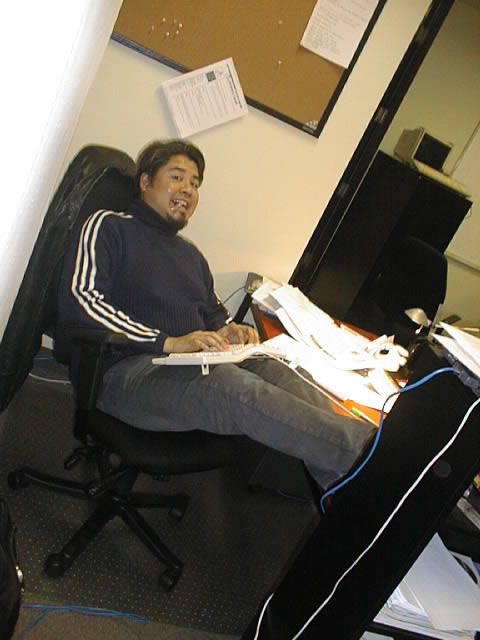
Me at my desk at OpenCola, circa November 2001.
Since my daily responsibilities could be fulfilled in five minutes on an average day (and ten minutes on a particularly challenging one), I was left with seven hours and fifty-five (or fifty) minutes of nothing to do. One of those hours could be occupied by lunch. Another half-hour could be lopped off with runs to Starbucks. That still left six hours and twenty-five (or twenty) minutes to fill.

The view from my desk at OpenCola, circa November 2001.
Luckily, I had a decent computer with a fast internet connection at my desk. I spent a good chunk of my time brushing up on my programming skills. I figured that management’s slow chipping away at my work meant that I was soon to be shown the door, so I also started lining up job interviews and clients for consulting work. Last but not least, I emailed Cory Doctorow interesting links for him to feature on Boing Boing. After several dozen of the emails, he emailed me, asking “Why don’t you start your own blog?”
“Really?” I replied. “I think I’d run out of things to write about pretty quickly.”
I went to the premier blogging site at the time – Blogger.com, now a subsidiary of Google – and set up my own blog. You couldn’t activate the blog without naming it first, and after trying to think up a clever name, decided that I could give it a temporary one. After all, I could always change it later. I entered my “throw-away” name, The Adventures of Accordion Guy in the 21st Century, which I’d come up with in a fit of boredom-induced whimsy, and created the blog. I wrote a throw-away article as my first post and wondered how long I could keep up the blog.

How the blog looked in February 2002.
Click the photo to see an archived copy on the Internet Wayback Machine.
While there have been countless articles written about how blogging is dead because there’s no way for most people to make money from it, I don’t pay them any mind. Blogging has paid off in ways more valuable than a mere check for Google ads. My blogs have been instrumental in landing my last four jobs, provided an interesting way for the lady who became my wife to do a casual “background check” on me, helped me meet friends I otherwise would never have met, gotten me out of a sticky situation with an identity thief, landed me a number of appearances on television and in the newspaper, given me a creative outlet and kept me sharp. I consider myself very, very fortunate that I’ve been able to parley blogging – along with my other hobbies, computer programming and the accordion – into my daily work. There’s no job easier than being paid to be you and do what you’re most passionate about.
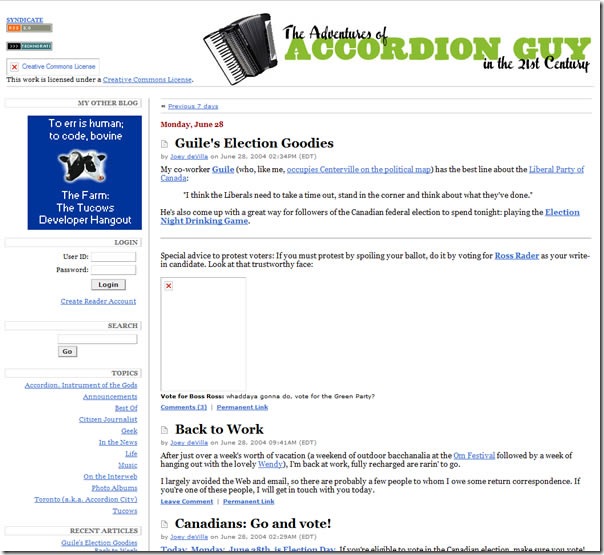
How the blog looked in June 2004.
Click the photo to see an archived copy on the Internet Wayback Machine.
On this, the seventh anniversary of the Accordion Guy blog, I’d like to thank everyone who’s read it and posted comments over the years. There’s nothing more encouraging to a blogger than a readership and the friendships and opportunities that arise thanks to one’s blog, and for that, I am eternally grateful. Thanks again, everyone!
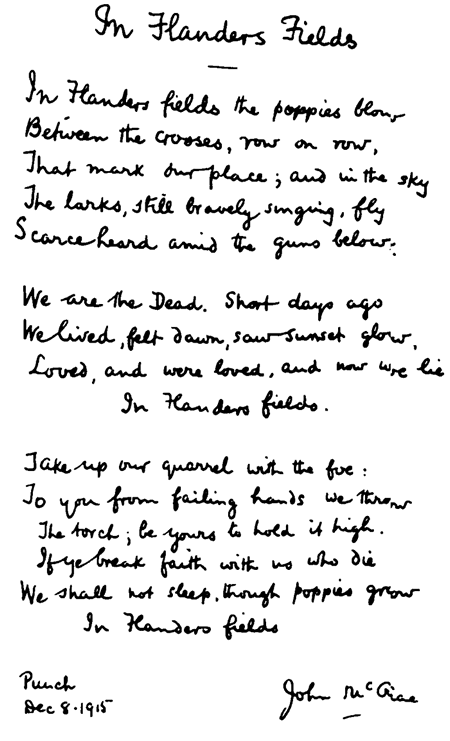
In Flanders Fields the poppies blow,




 “Grapes” Goes Bananas