Author: Joey deVilla
Assignment
This afternoon, Boss Ross gave me an emergency assignment. Luckily, I’m pretty good at this sort of thing and things didn’t end up like the comic below:
In case you hadn’t heard, one of the best radio stations out there is Seattle’s KEXP,
which broadcasts both on regular analog radio and online. They are an
independent, commercial-free radio station with amazing DJs, playlists
to die for, and have shows and guests that nobody else could have
possibly landed (one recent treat was french synthpop duo Air peforming
live in their studios).
Give them a listen, and if you like what you hear, send them some
money. Remember, it’s listener-supported radio, so it’s our bucks (as
opposed to Clear Channel’s) that keeps them going. In the open sewage line that is commercial radio, these guys are like a fresh pint of Guinness.
What Happened With Blogrolling
In response to a posting on Chris Scott’s blog, Boss Ross points out what happened with Blogrolling yesterday:
ago, we had to fail over to a non-production box because one of the
servers that Jason had colocated us on died without much warning. It
was the only way to keep the service alive on short notice.
Problem was, it was running slightly outdated code – the production
server, at the time, had already been patched by Jason. By failing over
to the older development box and turning it live without patching it
properly, we reintroduced the problem that Jason had kindly fixed for
us.
The box with the patch was never brough back online because we are
in the process of moving off of the colo that we’re currently at and
into the regular Tucows environment at IBM – no sense in going through
more trouble than it was worth we thought.
So the long and the short of it is that I really messed this up.
Jason has been an amazing source of support through all of this
(post-purchase) and I’d really hate for my mess-ups to reflect on him
somehow. Tucows, and more to the point, me is the root cause of the
problem that we saw today.
And now we need to pick ourselves up, dust everything off and move
on – without repeating the same mistakes that we’ve just fixed.
A Little Help Here, Please
Well, that was a close one: this blogger pointed out to Hossein “Hoder” Derakhshan that there was a security flaw in one of Tucows’ newly-acquired products, Blogrolling.com. Hoder pointed out the flaw and even suggested that people start mucking around with the Blogs for Bush blogroll. Dan Gillmor, Silicon Valley’s best-known journalist, picked up on Hoder’s blog entry and posted a quick blurb about the flaw.
Hoder essentially said “Crackers and electronic maladroits of the
world, here’s a flaw in a piece of software used by thousands of
bloggers, and here’s how you exploit it. Get to work”, and Dan, who’s
got to be one of the most-read guys on the Web, made sure lots of
people found out. But neither of these guys — both of whom are
otherwise generally decent folk — contacted Tucows.
We are lucky that there are a lot of people
with goodwill towards this company (in fact, this goodwill is one of
the reasons I accepted a job here). Brent Ashley and a number of people contacted us,
and we had a fix up in less than an hour.
It irks me that I have to say this, because I thought it would be obvious. Let me put it in large type:
The right thing to do when you discover a security flaw in a product is to contact the vendor.
The wrong thing to do is simply to assume that vendors deserve to get
0wnz0red simply because there’s a flaw in their product. Although we
strive for perfection, no piece of software is perfect; it’s just not
possible this side of paradise. We don’t put security flaws in our
software to “punk” our customers. In this world, you’re always refining
your work to adapt to ever-changing conditions, hence security guru
Bruce Schneier’s famous motto: “Security is a process, not a product.”
We’re all for full disclosure and free speech, but please tell us when our fly is down so we have a chance to pull it back up!
If you ever find a security flaw in any Tucows product, please let us
know. Hey, as the Technical Community Development Coordinator, you can
tell me (my email address is jdevilla@tucows.com),
and I’ll make sure that the appropriate actions are taken and even pull
as many strings as I can to make sure we send an appropriate token of
our gratitude. That’s my job.
As for Hoder and Dan, all I will say is “Shame on you.”
Related reading: Boss Ross’ take.
Sort-of related reading:
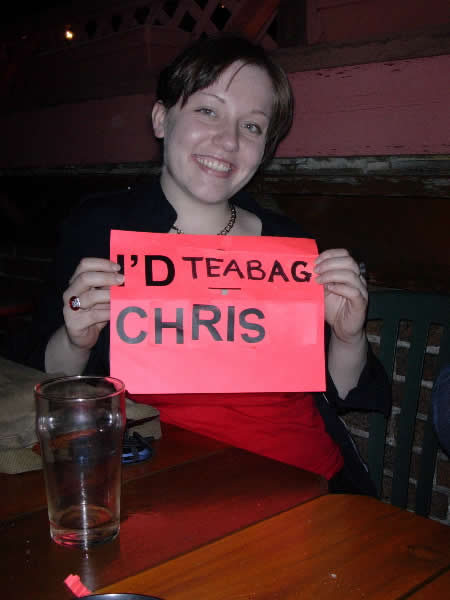
A lovely lass checks me out at a bar, and my buddy tells everybody at the table…except me.Tomorrow night — Thursday May 13th — the Greater Toronto Area Bloggers will be having a pub night at the usual haunt: Paupers Pub. We’ll be celebrating that fact that spring has come to Accordion City as well as special LA guest blogger Kristine’s visit.
Pauper’s Pub is located at 539 Bloor Street West, deep in the heart of The Annex, a short walk from Bathurst subway station. We’ll be hanging out on the second floor from 7 p.m. onward.
Blogware’s Slideshow Feature
Okay, Blogware users and wanna-users, here’s a new feature that made it into the 1.0 cut for Blogware. If you have a Blogware blog, open the Blogware Control Panel in a new browser window and log in. Once you’ve logged in, click on the Settings tab of the Navigation Bar.

Now take a look near the lower right-hand corner of the page, near the
bottom of the Options sidebar. Notice a new checkbox — the one marked Enable Slideshows?

That checkbox, Gentle Reader, is the gateway to photoblogging coolness.
Checking that checkbox enables Blogware’s new slideshow feature,
which turns your blog’s photo albums into a slideshow with just a click.
Let’s take a look at a photo album I recently posted: one featuring my
photos of a billboard near Queen Street West. Here’s what the photo
album’s main page look like.

Notice the icon above the photos? That’s the slideshow icon. Clicking
that icon opens a new window containing the slideshow. The slideshow
starts, displaying all the photos in the album (click the photo below to start the slideshow):

The controls along the top of the window control slideshow playback.
Each photo in the album is shown for a short period of time (which can
be set to 1, 3 or 10 seconds), after which the next photo is shown.
Once the slideshow finishes showing the last photo in the album, it
starts over from the beginning.
We know that the slideshow works fine for the following browsers:
- Windows
- Internet Explorer 6
- Mozilla 1.6
- Firebird 0.8
- Netscape 7
- Mac OS X
- Safari 1.2
- Mozilla 1.6
- Firebird 0.8
- Netscape 7
- Linux
- Mozilla 1.6
- Firebird 0.8
To whet your appetite for Blogware’s slideshows, here are some direct links to some of my own:
The tamer photos (safe for work, gah-ron-teed)
- The Accordion is a Chick Magnet, or: a Lovely Night at a Breast Cancer Fund-Raiser Singles Mixer (November 2003)
- Canmore Scenery (January 2004)
- Active Surplus Renovations (April 2004)
The saucier photos (some images might not be so safe for work)
- The hot tub truck after the White Cowbell Oklahoma concert (October 2003)
- The Hot Tub Truck at my birthday party (November 2003)
I’m going to have a lot of fun with this new feature.