Categories
Uncategorized

Adding a component to your Blogware page

After my posting about adding the Search feature to the blog, someone emailed me and asked how easy it was to do such a thing. Was there any HTML coding involved, or is there a nice and friendly way to do it?

The correct answer is: both! Blogware’s control panel lets you edit all sorts of style sheets which control every aspect of your blog’s look and feel. If you’ve got the time and know-how, you can make a blog complete unlike any other.

However, I’m short time, and I’ll bet you are too. I’ll show the quick-and-easy way of adding new components to your blog.

(Note: Blogware is still in development and some of these features are subject to change. This is largely for the benefit of current Blogware users who’d like to implement Search in their blogs now. However, this should be an indication of the sort of approach we’re taking to user-friendliness while working within the limits of a web-based interface.)

Let’s suppose we have a blog to which we’d like to add Search. Here’s the main page for such a blog:

Click on the picture above to see a larger version.

(All the screenshots show me doing the work in Mac OS X — I thought I’d take a break from doing all the examples in Windows.)

The Search feature is one of several building blocks of a blog called a component. There are all sorts of Blogware componments, including one that displays a list of the most recent entries, one that displays a list of the most recent comments, one that displays the calendar, and so on.

To add, edit, move and delete components, you must log into the Blogware control panel and go to the Layout Manager. Using the Layout Manager is the quickest way to customize the layout of your blog — you also have the option of editing style sheets, but the Layout Manager lets you set up your layout quickly, visually and without the having to know the mysteries of cascading style sheets.

You get to the Layout Manager by clicking the Look and Feel tab on the Navigation Bar, as shown below:

You should see the Component Layout for the main page of your blog. It should look something like this:

Each of the grey-and-white boxes with a label is a component. Here’s the one we want, the Search component:

It’s not on the blog page, and so neither is it on the Layout Manager. Let’s fix that.

The Add Component controls are near the lower left-hand side of the page and look like this:

Let’s suppose we want to add the Search component to the left sidebar. To do this, we:

  • Select Search from the Component menu
  • Select Left Sidebar from the Location menu
  • Click Add

The new component will be added to the bottom of the left sidebar:

We’ve just added the Search component to the page. Suppose we want it to be the second component from the top of the left sidebar, just below the Welcome Text component. We can move it using the control.

Here’s the sidebar after clicking the control once. Note that Search and Logout Button have switched places.

A few more clicks of the control and the Search component is right where we want it:

If we were to view the blog now, it would look like this:

Click on the picture above to see a larger version with the Search component highlighted.


Categories
Uncategorized

New features, at least for this blog anyway…

Little conveniences for readers of this blog, all in the left sidebar:

  • Recent Entries: The five last articles I’ve posted, listed by title.
  • Recent Comments: The five last comments posted, listed by title.
  • Search: It’s one of Blogware’s newest features, barely a couple of weeks old, and one of my hands-down favourites. Just enter a search term and hit the “Go” button. It’s a pretty neat feature and faster than snakes on ice!

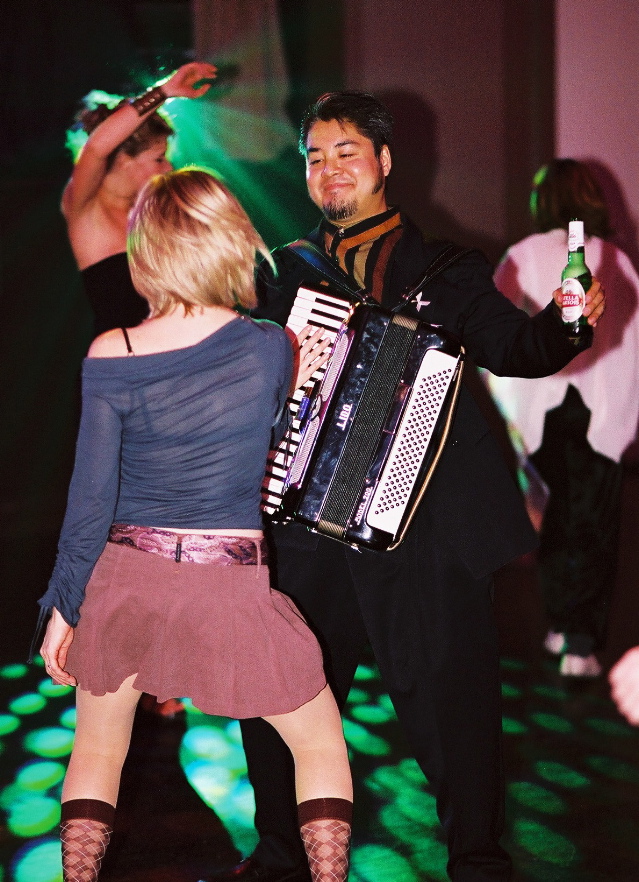
And let’s not forget the new and improved Blogware Manual, written by a dashing young Filipino accordion-playing gentleman whom I know…

Categories
Uncategorized

You want a doctored photo? HERE’S a doctored photo.

Despite what some others may believe, here’s the only doctored photo on the blog’s main page…

That rat-bastard Jon (a.k.a. “Jonny Fairplay”) from Survivor knows no limits when it comes to playing to win. According to Guile, he voted me off the island!

Categories
Uncategorized

Blogware’s "Help" Files, radically revised

For those of you who are either Blogware users or interested in seeing what kind of features Blogware has, I’ve posted the latest version of Blogware’s “help” files, and will be adding a little bit more each day.

The “radical revision” I’m referring to is the change from Blogware’s help docs as mostly a feature-by-feature reference manual to a task-oriented one. It’s now all about answering “How do I do this?”-style questions. I’ve made sure that all the most common tasks have been covered, but if I’ve missed something, drop me a line in the comments or email me!

The feature-by-feature reference manual will eventually happen, but that time isn’t just yet. The design is still changing rapidly (and for the better and easier-to-use).

Categories
Uncategorized

The NEW “Best Accordion Picture Ever”

Awwwww yeah.

Categories
Uncategorized

Excerpt from Esquire’s "The Rules: A Man’s Guide to Life

Esquire’s little black book, The Rules: A Man’s Guide to Life, is an awesome stocking-stuffer. The beauty of books like this, which simply dispense advice in little bites, is that they’re fun to read at the Christmas/Hannukah/Kwanzaa/Festivus party right after you’ve opened them. Some of the rules:

Rule 3:

Do not trust a man who calls the bathroom “the little boys’ room”.

Rule 13:

The team mascot sleeps alone.

Rule 21:

Talk half as much as you listen.

Rule 22:

If you have been drinking, arrested, or touring a hostile land full of gun-toting fundamentalists, or if you are the lead singer of Sugar Ray, talk one-fifth as much as you listen.

Rule 34:

People will compliment you on the cheap artwork you purchased at IKEA, but it will feel hollow.

Rule 45:

The soft taco is the only taco that matters.

Rule 56:

No mammals on the sweaters. Or belts.

Rule 63:

Never trust an act of civil disobedience led by a disc jockey.

Rule 72:

A man whose belt is fastened on the last hole is a desperate and resourceless-looking man.

Categories
Uncategorized

"He’s very slowly getting away!"

Looks like the first Segway-based hit-and-run accident has taken place:

There was a bizarre hit and run that took place in San Francisco on Tuesday between a 3-year-old girl and a Segway. It may be the first accident of it’s kind locally involving the motorized scooter which happens to be banned on city sidewalks.

Three-year-old Ruby Bleskacek sustained cuts, bruises and a nasty bump on her head…The child was walking outside her father’s Potrero Hill store on Tuesday when a Segway ran her down. Witnesses say it was traveling about 10 miles per hour.

Joel Bleskacek, father: “I was quite angry and I confronted him. I asked him why he was driving so fast during the crowded lunch hour on the sidewalk. He claimed my daughter jumped in front of him.”

The man fled the scene on his Segway. Police think he lives in the neighborhood.

I actually didn’t think it was possible to “flee a scene” on a Segway. They don’t go much faster than a brisk trot. A reasonably healthy person who wasn’t wearing leather-soled dress shoes should’ve had no trouble catching up with the guy. I wonder why someone didn’t chase after him.

They guy shouldn’t be too hard to find; Segways are extremely rare luxury items sold directly by the manufacturer. Sales records should narrow the list of suspects pretty quickly.